If you wish to have a professional shared hosting quality in a free hosting package, come and host with 000webhost.com and experience the best service you can get absolutely free.
Founded in December 2006, 000webhost.com has a trusted free hosting members base of over 60,000 members and still counting! Offering professional quality hosting, support, uptime and reliability, we have a great community of webmasters, you'd love to be a part of!
I have been using it for sometime now and had found it quiet satisfying..
Register now and get it all free:
*** 1500 MB of disk space
*** 100 GB of data transfer
*** PHP and MySQL support with no restrictions
*** cPanel control panel
*** Website Builder
*** Absolutely no advertising!
Join us now: http://www.000webhost.com/173150.html
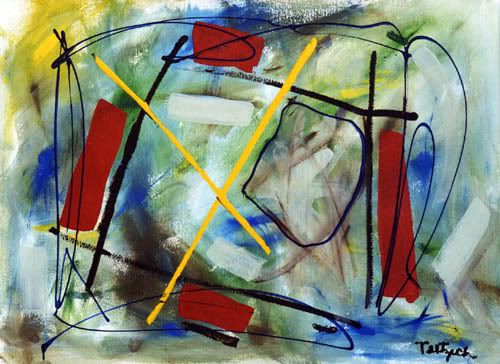
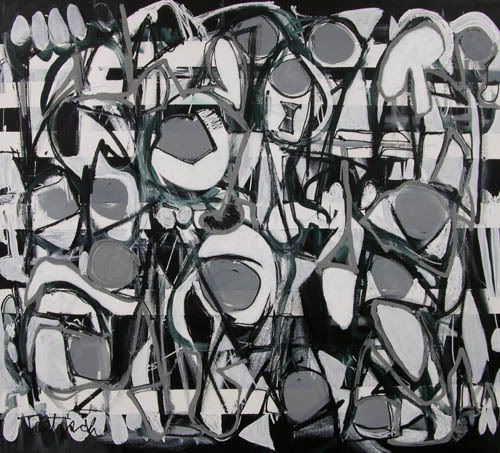
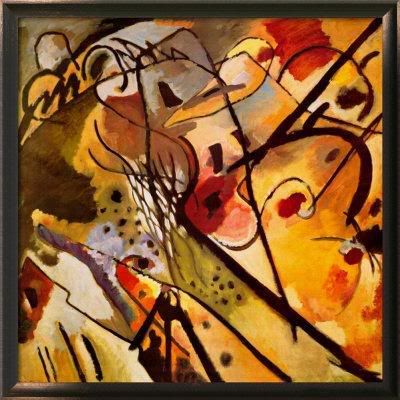
/* Java applet to display sildeshow to images from a given folder in thumbnail form, images can be selected one by one and can be enable/disable slideshow of images. The thumbnail images are placed in slides folder, the download button(rectangle) downloads the images from the web server, hence a webserver is required eg : any webserver even tomcat webserver with download folder with images*/
/* Requirements
1. Name of java file : Sildeshow.java
2. Name of images folder : slides
3. Names of images 1.jpg, 2.jpg and so on upto 8.jpg.
3. Name of download folder in webserver : download
4. Download images given below and paste them in slides folder :
1.jpg │2.jpg │3.jpg │4.jpg │5.jpg │6.jpg │7.jpg │8.jpg
5. Download images given below and paste them in download folder in webserver :
1.jpg │ 2.jpg │ 3.jpg │4.jpg │5.jpg │6.jpg │7.jpg │8.jpg
Java Code for Sildeshow
import java.applet.*;
import java.awt.*;
import java.awt.event.*;
import java.net.*;
public class Slideshow extends Applet implements Runnable
{
// Variable Declaration
Thread runner;
boolean left,right,click,auto;
boolean but0,but1;
boolean b0,b1;
boolean waitMessage = true;
String str_desc[] = { // Display Messages
" This is an Abstract piece.Painted on:20/11/86.",
" This picture is an Abstract work.Painted on:10/1/89.",
" This picture is a Canvas oil painting (15/8/92).",
" This is a Pastel painting (2/10/99).",
" This picture is an Abstract piece.Painted on:6/5/03.",
" This is a Brush painting (2/6/05).",
" This a painted collage (30/1/83).",
" This is my Graphical art piece.Painted on:20/12/08."};
int number=1;
static final int MAX=8;
Image Picture[]=new Image[MAX]; // Image variable
Image Buffer;
Graphics gBuffer; // Graphics Variable
Font a = new Font("Helvetica", Font.PLAIN,12);
Font b = new Font("Dialog", Font.PLAIN,10);
Font c = new Font("Helvetica", Font.BOLD,13);
Rectangle r0=new Rectangle(400,70,50,20); // ON / OFF
Rectangle r1=new Rectangle(400,195,120,20); // Click Here
void loadGraphics()
{ //
Track the status of a number of media objects
MediaTracker t=new MediaTracker(this);
for(int i=0;i< MAX;i++)
{
// Load an image in an applet
Picture[i]=getImage(getCodeBase(),"slides/"+(i+1)+".jpg");
t.addImage(Picture[i],0);
try{
t.waitForAll(0);
}
catch(InterruptedException e)
{
}
waitMessage=false;
}
}
public void init()
{
// Creates an image
Buffer=createImage(size().width,size().height);
gBuffer=Buffer.getGraphics();
// Creates a graphics context for this component
}
public void start()
{
if (runner == null)
{
runner = new Thread (this);
runner.start();
}
}
public void stop()
{
if (runner != null)
{
runner.stop();
runner = null;
}
}
public void run()
{
while(true)
{
try
{
runner.sleep(2500);
}
catch (Exception e)
{ }
if(auto)
{
if(number< MAX)
number++;
else
number=1;
}
repaint();
}
}
public void update(Graphics g)
{ paint(g); }
public void drawArrow(int w,int h,int x,int y,boolean left,boolean over,boolean click)
{
if(click&&over) // set color to yellow on click or mouse over
gBuffer.setColor(Color.yellow);
else
if(over) // set color to orange on mouse over
gBuffer.setColor(Color.orange);
else
// set color to red on click
gBuffer.setColor(Color.red);
if(left)
{
int al[] = {x,x+w,x+w};
int bl[] = {y+h/2,y,y+h};
gBuffer.fillPolygon(al, bl, 3);
}
else {
int ar[] = {x,x,x+w};
int br[] = {y,y+h,y+h/2};
gBuffer.fillPolygon(ar, br, 3);
}
}
public void drawPanel()
{
gBuffer.setColor(Color.white);
gBuffer.fillRect(0,0,size().width,size().height);
// Display Text
drawArrow(40,40,330+70,120,true,left,click);
// Display Left Arrow
drawArrow(40,40,380+70,120,false,right,click);
// Display Right Arrow
gBuffer.setColor(Color.lightGray);
gBuffer.setFont(b);
gBuffer.setColor(auto?Color.orange:Color.lightGray);
gBuffer.fill3DRect(400,70,50,20,!but0);
// Rectangle for ON rectangle
gBuffer.setColor(b0?Color.red:Color.black);
// Color For ON rectangle
String s=auto?"OFF":"ON";
gBuffer.drawString(s,410,85);
gBuffer.setColor(Color.lightGray);
// Download
s="Click Here";
gBuffer.fill3DRect(400,190,120,20,!but1);
gBuffer.setFont(a);
gBuffer.setColor(b1?Color.red:Color.black);
gBuffer.drawString(s,430,205);
// Display Image
gBuffer.drawImage(Picture[number-1],20,20,this);
gBuffer.setColor(Color.black);
gBuffer.setFont(c);
gBuffer.drawString("Slideshow:",300,80);
gBuffer.drawString("Scroll:",300,140);
gBuffer.drawString("Download it!",300,200);
gBuffer.drawString("Description:",300,35);
gBuffer.setFont(a);
gBuffer.drawString(str_desc[number-1],300,50);
}
public boolean mouseDown(Event evt,int x,int y)
{
if(r0.inside(x,y))
{
but0=true; auto^=true;
}
if(r1.inside(x,y))
{
but1=true;
auto=false;
}
if(but1)
{
String link ="http://localhost:8080/download/"+number+".jpg";
try {
// corresponds to an applet's environment
AppletContext a = getAppletContext();
URL url = new URL(link);
// url of the image to be downloaded
a.showDocument(url,"_blank");
}
catch (MalformedURLException e){
System.out.println(e.getMessage());
}
}
if(left)
{
auto=false;
if(number>1)
number--;
else number=8;
}
if(right)
{
auto=false;
if(number< MAX)
number++;
else
number=1;
}
click=true;
repaint();
return true;
}
public boolean mouseUp(Event evt,int x,int y)
{
but0=but1=click=false;
repaint();
return true;
}
public boolean mouseMove(Event evt,int x,int y)
{
Rectangle rl=new Rectangle(330+70,120,40,40);
Rectangle rr=new Rectangle(380+70,120,40,40);
if(rl.inside(x,y))
left=true;
else
left=false;
if(rr.inside(x,y))
right=true;
else
right=false;
if(r0.inside(x,y))
b0=true;
else
b0=false;
if(r1.inside(x,y))
b1=true;
else
b1=false;
repaint();
return true;
}
public void paint(Graphics g)
{
if(waitMessage)
{ g.setColor(Color.blue);
g.drawString("Loading images, please wait...",200,100);
loadGraphics();
}
else
{
drawPanel();
g.drawImage (Buffer,0,0, this);
}
}
}
//< code ="Slideshow" height ="500" width="500">
//< /applet>
Ps: This program works fine, errors if any kindly leavea comment...

Be sure not to miss the video clips about football funnies and rituals from the Football Magic channel or the bizarre story about fans in the stand and how fan culture sometimes go beyond reason.
As an extra feature you can upload your own favourite football and fan moments.
Its an amazing site with loads of features present in it. So log on to partofthegame.tv and experience the diference.

/* Implementation Of Vectors */
import java.util.Vector;
import java.io.*;
public class MainClass extends Thread{
public static void main(String args[]) throws InterruptedException{
Vector v = new Vector();
int num,choice,ch;
boolean tr = true;
BufferedReader br = new BufferedReader(new InputStreamReader(System.in));
try {
do {
System.out.println("1. Add Elements\n2. Delete Elements\n3. Display\n4. Exit");
choice = Integer.parseInt(br.readLine());
switch(choice) {
case 1:
System.out.println("Enter Element : ");
v.add(Integer.parseInt(br.readLine()));
break;
case 2:
int no;
System.out.println("Enter Element : ");
no = Integer.parseInt(br.readLine());
if(v.contains(no))
v.removeElement(no);
break;
case 3:
System.out.println(v);
break;
case 4:
System.out.println("Exiting Application....");
Thread.sleep(2000);
System.exit(0);
break;
default:
System.out.println("ERROR!!! INVALID OPTION!!!");
Thread.sleep(2000);
}
System.out.println("Do YOu want to continue (1 = yes: )");
ch = Integer.parseInt(br.readLine()); }
while(ch==1);
} catch(Exception e){
System.out.println("Error Message: "+e);
}
}}
/**** OutPut ******
1. Add Elements
2. Delete Elements
3. Display
4. Exit
1
Enter Element :
4
Do YOu want to continue (1 = yes: )
1
1. Add Elements
2. Delete Elements
3. Display
4. Exit
1
Enter Element :
6
Do YOu want to continue (1 = yes: )
1
1. Add Elements
2. Delete Elements
3. Display
4. Exit
1
Enter Element :
7
Do YOu want to continue (1 = yes: )
1
1. Add Elements
2. Delete Elements
3. Display
4. Exit
1
Enter Element :
5
Do YOu want to continue (1 = yes: )
1
1. Add Elements
2. Delete Elements
3. Display
4. Exit
3
[4, 6, 7, 5]
Do YOu want to continue (1 = yes: )
1
1. Add Elements
2. Delete Elements
3. Display
4. Exit
2
Enter Element :
7
Do YOu want to continue (1 = yes: )
1
1. Add Elements
2. Delete Elements
3. Display
4. Exit
3
[4, 6, 5]
Do YOu want to continue (1 = yes: )
1
1. Add Elements
2. Delete Elements
3. Display
4. Exit
4
Exiting Application.... */
/* Implementation Of Threads */
import java.io.*;
import java.util.*;
class AA extends Thread
{
int i;
public void run()
{
System.out.println("Thread A");
for(i=0;i<5;i++)
{
System.out.println("Thread A : "+i);
yield();
}
}
}
class B extends Thread
{
int i;
public void run()
{
System.out.println("Thread B");
for(i=0;i<5;i++)
{
System.out.println("Thread B : "+i);
yield();
}
}
}
class C extends Thread
{
int i;
public void run()
{
System.out.println("Thread C");
for(i=0;i<5;i++)
{
System.out.println("Thread C : "+i);
yield();
}
}
}
class ThreadLionel
{
public static void main(String []args)
{
AA a = new AA();
B b = new B();
C c = new C();
a.start();
b.start();
c.start();
}
}
/*
--------------------OUTPUT--------------------
Thread A
Thread A : 0
Thread A : 1
Thread B
Thread B : 0
Thread C
Thread C : 0
Thread A : 2
Thread B : 1
Thread C : 1
Thread A : 3
Thread B : 2
Thread C : 2
Thread A : 4
Thread B : 3
Thread C : 3
Thread B : 4
Thread C : 4
*/
/********** Implementation of Matrix Operation Using Arrays *********/
// Matrix Addtion, Subtraction, Transpose, Multiplication
import matrix;
class Matrix
{
public static void main(String args[])
{
int i,j,k;
int mat1 [][]={ {1,2,3}, {4,5,6}, {7,8,9} };
int mat2 [][]={ {10,11,12}, {13,14,15}, {16,17,18} };
//Matrix A
System.out.println("\nMatrix A:");
for(i=0;i< 3;i++)
{
for(j=0;j< 3;j++)
System.out.print("\t"+mat1[i][j]);
System.out.println("");
}
//Matrix B
System.out.println("\nMatrix B:");
for(i=0;i< 3;i++)
{
for(j=0;j< 3;j++)
System.out.print("\t"+mat2[i][j]);
System.out.println("");
}
System.out.println("\nOperation ON Matrices \n1.Addition \n");
int sum [][] = new int [3][3];
for(i=0;i< 3;i++)
{
for(j=0;j< 3;j++)
{
sum[i][j] = mat1[i][j] + mat2[i][j];
System.out.print("\t" + sum[i][j]);
}
System.out.println("");
}
System.out.println("2.Subtraction\n");
int diff[][] = new int[3][3];
for(i=0;i< 3;i++)
{
for(j=0;j< 3;j++)
{
diff [i][j] = mat1[i][j] - mat2[i][j];
System.out.print("\t"+ diff[i][j]);
}
System.out.println("");
}
System.out.println("3. Transpose Of A\n");
int trans[][] = new int[3][3];
for(i=0;i< 3;i++)
{
for(j=0;j< 3;j++)
{
trans [i][j] = mat1[j][i];
System.out.print("\t"+ trans[i][j]);
}
System.out.println("");
}
System.out.println("4.Multiplication\n");
int prod[][] = new int[3][3];
for(i=0;i< 3;i++)
{
for(j=0;j< 3;j++)
{
prod[i][j] = 0;
{
for(k=0;k< 3;k++)
prod[i][j] = prod[i][j]+mat1[i][k]*mat2[k][j];
}
System.out.print("\t"+ prod[i][j]);
}
System.out.println("");
}
}
}
/************* OUTPUT ***************
Matrix A:
1 2 3
4 5 6
7 8 9
Matrix B:
10 11 12
13 14 15
16 17 18
Operation ON Matrices
1.Addition
11 13 15
17 19 21
23 25 27
2.Subtraction
-9 -9 -9
-9 -9 -9
-9 -9 -9
3. Transpose Of A
1 4 7
2 5 8
3 6 9
4.Multiplication
84 90 96
201 216 231
318 342 366
*/
/* java program : implementation of packges...
Import a package in a class and use it. */
/*
First.java
*/
package pack;
public class First
{
static double amt,sim,comp,princ = 1000,rate = 0.09;
static int n=2;
public First()
{
System.out.println("\n...Welcome to First Class\n");
}
public static void DisplayData()
{
System.out.println("Principle Amount\t:"+princ+"\nRate Of Interest\t:"+rate*100+"%");
System.out.println("Term\t\t\t:"+n);
}
public static void SimpleInterest()
{
System.out.println("\nDisplaying Simple Interest...");
try
{
Thread.sleep(1000); // do nothing for 1000 miliseconds (1 second)
}
catch(InterruptedException e)
{
e.printStackTrace();
}
sim = (princ*n*rate);
System.out.println("\tInterest\t: "+sim);
}
public static void CompInterest()
{
System.out.println("\nDisplaying Compound Interest...");
try
{
Thread.sleep(1000); // do nothing for 1000 miliseconds (1 second)
}
catch(InterruptedException e)
{
e.printStackTrace();
}
double ans = princ*(1+rate/n);
comp = Math.pow(ans,(double)n*4.0);
System.out.println("\tInterest\t: "+comp);
}
/* public static void main(String []args)
{
First f= new First();
f.DisplayData();
f.SimpleInterest();
f.CompInterest();
}*/
}
/* The socond file imports the first file and calculates the interst*/
/*Second.java*/
import pack.First;
class Second
{
public static void main(String[] args)
{
System.out.println("Running Class Second..");
First first = new First();
first.DisplayData();
first.SimpleInterest();
first.CompInterest();
}
}
/* Output
* Running Class Second..
*
* ...Welcome to First Class
*
* Principle Amount :1000.0
* Rate Of Interest :9.0%
* Term :2
*
* Displaying Simple Interest...
* Interest : 180.0
* Displaying Compound Interest...
* Interest : 1.4221006128366082E24
*/
/* (Length Convertor): Simple Java Program to convert miles, kilometers, meter, feet, centimeter and inches
*/
Enter value for Miles: 45
Kilometer: 72.4185
Meter: 72418.5
Feet: 237593.50429815002
Inches: 2851122.0515778
Centimeter: 7241850.011007612
import java.io.*;
public class ConverterIO
{
public static void main(String[] args) throws IOException
{
BufferedReader dataIn = new BufferedReader(new InputStreamReader(System.in));
String strChoose;
int choose;
String strMiles, strKilometer, strMeter, strFeet, strInches, strCentimeter;
double miles, kilometer, meter,feet, inches, centimeter;
boolean done = false;
while (!done)
{
//Getting input from the user
println("\n\n\n\t\tLENGTH CONVERTER");
println("\n\tWhat you would like to convert?");
println("");
println("\t1) Miles 4) Feet");
println("\t2) Kilometer 5) Inches");
println("\t3) Meter 6) Centimeter");
println("\t\t 7) Exit");
print("\n\tEnter your choice: ");
strChoose = dataIn.readLine();
choose = Integer.parseInt(strChoose);
if ((choose < = 0) || (choose >= 8))
{
println("\tInvalid entry, please try again!");
}
switch (choose)
{
case 1:
print("\n\tEnter value for Miles: ");
strMiles = dataIn.readLine();
miles = Double.parseDouble(strMiles);
println("\n\t\tKilometer: " + (miles*1.6093));
println("\t\tMeter: " + (miles*1609.3));
println("\t\tFeet: " + (miles*5279.85565107));
println("\t\tInches: " + (miles*63358.26781284));
println("\t\tCentimeter: " + (miles*160930.0002446136));
break;
case 2:
print("\n\tEnter value for Kilometer: ");
strKilometer = dataIn.readLine();
kilometer = Double.parseDouble(strKilometer);
println("\n\t\tMiles: " + (kilometer*0.6213882));
println("\t\tMeter: " + (kilometer*1000));
println("\t\tFeet: " + (kilometer*3280.8399));
println("\t\tInches: " + (kilometer*39370.0788));
println("\t\tCentimeter: " + (kilometer*100000)); break;
case 3:
print("\n\tEnter value for Meter: ");
strMeter = dataIn.readLine();
meter = Double.parseDouble(strMeter);
println("\n\t\tMiles: " + (meter*621.3882));
println("\t\tKilometer: " + (meter*1000));
println("\t\tFeet: " + (meter*3.2808399));
println("\t\tInches: " + (meter*39.3700788));
println("\t\tCentimeter: " + (meter*100));
break;
case 4:
print("\n\tEnter value for Feet: ");
strFeet = dataIn.readLine();
feet = Double.parseDouble(strFeet);
println("\n\t\tMiles: " + (feet*0.0001893991176));
println("\t\tKilometer: " + (feet*0.0003048));
println("\t\tMeter: " + (feet*0.3048));
println("\t\tInches: " + (feet*12));
println("\t\tCentimeter: " + (feet*30.48));
break;
case 5:
print("\n\tEnter value for Inches: ");
strInches = dataIn.readLine();
inches = Double.parseDouble(strInches);
println("\n\t\tMiles: " + (inches*0.000015783254));
println("\t\tKilometer: " + (inches*0.000025349));
println("\t\tMeter: " + (inches*0.02534));
println("\t\tFeet: " + (inches*0.08333));
println("\t\tCentimeter: " + (inches*2.51));
break;
case 6:
print("\n\tEnter value for Centimeter: ");
strCentimeter = dataIn.readLine();
centimeter = Double.parseDouble(strCentimeter);
println("\n\t\tMiles: " + (centimeter*0.000006218797));
println("\t\tKilometer: " + (centimeter*0.000004));
println("\t\tMeter: " + (centimeter*0.004));
println("\t\tFeet: " + (centimeter*0.032808386877));
println("\t\tInches: " + (centimeter*0.3937008));
break;
case 7:
done = true;
println("\n\tThank you for using this program!");
println("\n\n");
break;
default: throw new NumberFormatException();
} // end switch
} // end while
} // end main
//short cut for print
private static void print(String s)
{
System.out.print(s);
}
//short cut for println
private static void println(String s)
{
System.out.println(s);
}
}
/* Output
LENGTH CONVERTER
What you would like to convert?
1) Miles 4) Feet
2) Kilometer 5) Inches
3) Meter 6) Centimeter
7) Exit
Enter your choice: 1
Enter value for Miles: 45
Kilometer: 72.4185
Meter: 72418.5
Feet: 237593.50429815002
Inches: 2851122.0515778
Centimeter: 7241850.011007612
LENGTH CONVERTER
What you would like to convert?
1) Miles 4) Feet
2) Kilometer 5) Inches
3) Meter 6) Centimeter
7) Exit
Enter your choice: 5
Enter value for Inches: 48.5
Miles: 7.65487819E-4
Kilometer: 0.0012294265
Meter: 1.22899
Feet: 4.041505
Centimeter: 121.73499999999999
LENGTH CONVERTER
What you would like to convert?
1) Miles 4) Feet
2) Kilometer 5) Inches
3) Meter 6) Centimeter
7) Exit
Enter your choice: 7
Thank you for using this program!
*/
/* Java program on Arrays - Bubble sort on numbers
*/
import java.io.*;
class Bubble
{
public static void main(String args[]) throws IOException
{
int num;
System.out.println("Program to demonstrate bubble sort");
BufferedReader br=new BufferedReader(new InputStreamReader(System.in));
System.out.println("Enter the number of elements to be entered <10");
num=Integer.parseInt(br.readLine());
System.out.println("Enter the numbers to be sorted");
int arr[]=new int[10];
for(int i=0;i< num;i++)
{
arr[i]=Integer.parseInt(br.readLine());
}
System.out.println("The number you have entered:");
for(int i=0;i< num;i++)
{
System.out.println(arr[i]);
}
for(int i=0;i< num;i++)
{
for(int j=i+1;j< num;j++)
{
if(arr[i]>arr[j])
{
int temp=arr[i];
arr[i]=arr[j];
arr[j]=temp;
}
}
}
System.out.println("The sorted numbers are");
for(int i=0;i< num;i++)
{
System.out.println(arr[i]);
}
}
}
/********* Output **********
Program to demonstrate bubble sort
Enter the number of elements to be entered <10
5
Enter the numbers to be sorted
8
65
14
23
2
The number you have entered:
8
65
14
23
2
The sorted numbers are
2
8
14
23
65
*/
/***** Java Program to read a file and display it on the screen */
import java.io.*;
public class LioFile
{
public static void main(String args[])
{
try
{
FileReader fr=new FileReader("LioFile.java");
BufferedReader br=new BufferedReader(fr);
String str=" ";
String s1 =" ";
System.out.println(" s1 is "+s1.equals("ass"));
while((str=br.readLine())!=null)
{
System.out.println(str);
}
}
catch(FileNotFoundException fe)
{
fe.printStackTrace();
}
catch(IOException e)
{
e.printStackTrace();
}
}
}
/**** Output ***
s1 is false
import java.io.*;
public class J7
{
public static void main(String args[])
{
try
{
FileReader fr=new FileReader("J7.java");
BufferedReader br=new BufferedReader(fr);
String str=" ";
String s1 =" ";
System.out.println(" s1 is "+s1.equals("ass"));
while((str=br.readLine())!=null)
{
System.out.println(str);
}
}
catch(FileNotFoundException fe)
{
fe.printStackTrace();
}
catch(IOException e)
{
e.printStackTrace();
}
}
}
*/
/* Function Overloading program in java. The program overloads the area() function and calculates the area for square, rectangle and triangle */
class overloading
{
double area,root;
//Area Of Square
public void Area(double a)
{
area = a*a;
System.out.println("The Area Of Square : " +area);
}
// Area of rectangle
public void Area(double a,double b)
{
area= a*b;
System.out.println("The Area Of Rectangle : " +area);
}
// Aera Of Triangle
public void Area(double a,double b,double c)
{
double s= (a+b+c);
root = s*(s-a)*(s-b)*(s-c);
area = Math.sqrt(root);
System.out.println("The Area Of Triangle : " +area);
}
public static void main(String args[])
{
overloading ar = new overloading();
ar.Area(5.65);
ar.Area(5.32,43.2);
ar.Area(4,7,7);
}
}
/* Output
The Area Of Square : 31.922500000000003
The Area Of Rectangle : 229.82400000000004
The Area Of Triangle : 174.61958653026298 */
/* Simple Type casting program */
class cast
{
public static void main(String args[])
{
double a=5.35, b=55.6;
int rem;
rem = (int)a% (int)b;
System.out.println("Remainder : "+rem);
}
}
/* Output
Remainder : 5 */
Today we have come to the point where our life would be impossible without computers. We do not even care to think how we will live without our lap-top or mobile phone which has build-in programs for searching the Net or creating text documents or just listening to mp3 files. We all got accustomed to the Internet and E-mail which help to connect with our friends for different countries. And if your website tends to be a unique presentation of the company it should definitely use the technology feature such as phpfox that lets you customize the design and additional features available to the visitors.
But how can we use all these devices. The answer is obvious. People create different software to suit every device. Also there can be offered the services of custom software development that might include jdbc drivers for Java-applications which give an opportunity to adapt to the needs of particular companies which are going to use this kind of software or device.
Alongside with software development many companies use Internet for their business. In this case it is advisable to order an outstanding Web design of your resource. Today there is no problem with that. For example, your company is situated it Chicago. So you can order Chicago web design just round the corner which is definitely great for corrective feedback. So you can see that computer technologies are practically irreplaceable in our life
Program in java for inserting, recording, deleting, editing and searching student details stored in the SQL database.
import java.io.BufferedReader;
import java.io.InputStreamReader;
import java.io.IOException;
import java.sql.SQLException;
import java.sql.Connection;
import java.sql.DriverManager;
import java.sql.Statement;
import java.sql.ResultSet;
class studentdetails
{
Statement stmt;
String strSql;
Connection con;
BufferedReader bufferObj;
studentdetails (){
bufferObj=new BufferedReader(new InputStreamReader(System.in));
}
void establishConnection()
{
try
{
Class.forName("sun.jdbc.odbc.JdbcOdbcDriver");
}
catch(ClassNotFoundException ex)
{
System.out.println(ex);
}
try
{
String url="jdbc:odbc:new_dsn";
con=DriverManager.getConnection(url,"sa","");
stmt=con.createStatement();
}
catch(SQLException ce)
{
System.out.println("Error... "+ce);
}
}
void add()
{
try
{
System.out.println("\nEnter Roll Number: ");
String rollno=bufferObj.readLine();
System.out.println("\nEnter Students Name: ");
String name=bufferObj.readLine();
System.out.println("\nEnter Course Name");
String course=bufferObj.readLine();
strSql="Insert into Student values(" +rollno+",'"+name+"',' "+course+" ')";
stmt.executeUpdate(strSql);
System.out.println("\nRecords Successfully Added!");
System.out.println();
}
catch(SQLException ce)
{
System.out.println("Error... "+ce);
}
catch(Exception e)
{
System.out.println(e);
}
}
void update()
{
try
{
System.out.println("\nEnter Roll Number whose "+"record should be updated: ");
String roll=bufferObj.readLine();
System.out.println("Enter Students Name to be Modified: ");
String name=bufferObj.readLine();
System.out.println("Enter course name to be modified: ");
String course=bufferObj.readLine();
strSql="update Student set name=' "+name+" ',course='"+course+"' where rollno='"+roll+"'";
stmt.executeUpdate(strSql);
System.out.println("\nRecord Successfully Modified !");
System.out.println();
}
catch(SQLException ioe)
{
System.out.println(ioe);
}
catch(Exception er)
{
System.out.println(er);
}
}
void delete()
{
try
{
System.out.println("Enter Students Name to be Deleted :") ;
String name=bufferObj.readLine();
strSql="Delete from Student where rtrim(name) like '"+name+ "'";
stmt.executeUpdate(strSql);
System.out.println("Record Successfully Deleted !");
System.out.println();
}
catch(SQLException et)
{
System.out.println("Error in Deletion.... "+et);
}
catch(Exception ty)
{
System.out.println("Error.... "+ty);
}
}
void search()
{
try
{
System.out.println("Enter Roll Number "+"whose record should be searched: ");
int roll=Integer.parseInt(bufferObj.readLine());
System.out.println("Enter Students Name to be Searched");
String name=bufferObj.readLine();
strSql="select * from student where name like'"+name;
strSql=strSql+"' and Rollno="+roll;
ResultSet rs=stmt.executeQuery(strSql);
if(!rs.next())
{
System.out.println("Name");
System.out.println(rs.getString(1)+"\t");
System.out.println("Roll Number");
System.out.println(rs.getInt(2)+"\t");
System.out.println("Course");
System.out.println(rs.getString(3)+"\n");
}
}
catch(SQLException er)
{
System.out.println(er);
}
catch(Exception t)
{
System.out.println(t);
}
}
public void menudisplay() throws IOException
{
char choice;
while(true)
{
System.out.println();
System.out.println("1. Add a Record");
System.out.println("2. Modify Record");
System.out.println("3. Delete a Record");
System.out.println("4. Search a Record");
System.out.println("5. Exit");
System.out.println("Enter your choice....:");
BufferedReader br=new BufferedReader(new InputStreamReader(System.in));
choice=(char) br.read();
switch(choice)
{
case '1' :
System.out.println("Adding a Record........");
add();
break;
case '2' :
System.out.println("Updating a Record........");
update();
break;
case '3' :
System.out.println("Deleting a Record........");
delete();
break;
case '4' :
System.out.println("Searching a Record........");
search();
break;
case '5' :
System.exit(0);
break;
default :
System.out.println("Adding a Record........");
add();
break;
}
}
}
}
class student
{
public static void main(String[] args) throws IOException
{
studentdetails stud = new studentdetails();
stud.establishConnection();
stud.menudisplay();
}
}
keyword - a word whose meaning is defined by the programming language
true and false aren't in fact keywords, they are literal boolean values
goto and const are reserved words
identifier - is a word used by a programmer to name a variable, method, class or label. Must begin with a letter, a dollar sign or underscore
Java's four signed integral data types are: byte, short, int, long
Double and float can take on values that are bit patterns that do not represent numbers
Float.NaN, Float.NEGATIVE_INFINITY, Float.POSITIVE_INFINITY.. the same with Double
A literal is a value specified in the program source, they cannot appear on the left side of assignments.
A Java array is an ordered collection of primitives, object references or other arrays, all elements must be of the same type. To create and use an array you must follow three steps: Declaration, Construction, Ininialization. 1. int[] integers, 2. integers = new int[20]
Java array is starting with index 0.
A common mistake is to guess that importing has something to do with class loading. The fact is, that the name is brought into the source file's namespace.
import static java.awt.Color.RED; ... myColor = RED; ... Static imports eliminate the nuisance of constant interfaces.
import static measure.Scales.kilometersToMiles();
Member variable - is created when the instance is created, and exists as long the enclosing object exists. Automatic variable - is created on entry to the method. Class variable - (aka. static variable) is created when the class is loaded and is destroyed when the class is unloaded. Initial value is assigned to member variables, static variables, but not automatic variables.
When java passes an argument into a method call, a copy of the argument is actually passed.
Each process has its own stack and heap. Objects are always allocated on the heap.
Explicitly assign null into a variable when you have finished with it.
When the garbage collector finds memory that is no longer accessible from any live thread it takes steps to release it back into the heap for re-use. Class destructor method is called finalize().
It is not possible to force the garbage collection.
Importing slightly increases compilation time.
In Java all arguments are passed by value.

Do you have a need to stay on top of things? Are you planning for private school, college, grad school, continuing education or a vocational program and finding it really difficult?
The My Petersons is the site for you. Search and save your list of schools. Find out about the kind of financial aid you need to pay for your education. Learn everything you need to know about admission tests. It's the easiest way to stay organized and, best of all, it’s free!
Distance Learning Search
Distance learning and online degrees make the world your classroom! Now from the comfort of your own home, you can easily receive a degree from a traditional accredited college online and earn a certificate award, bachelors, masters, or doctorate degree or complete your degree via the Internet. Browse a wide variety of online degree programs and locate the one that's best for you. Find opportunities by selecting the distance learning courses or online courses that spark your interest, the degree level of your choice, and your campus requirements. It's that easy!
/* Java Program that implements data connectivity */
import javax.swing.*;
import java.awt.*;
import java.awt.event.*;
import java.sql.*;
public class Test extends JFrame implements ActionListener
{
Container con;
JLabel l1;
JLabel l2;
JLabel l3;
JLabel l4;
JLabel l5;
JTextField lt1;
JTextField lt2;
JTextField lt3;
JTextField lt4;
JTextField lt5;
JButton lb1;
Connection con1;
Statement s;
ResultSet rs;
public Test()
{
super("student details!!!");
con=getContentPane();
con.setLayout(null);
l1=new JLabel("Roll no.");
l1.setBounds(50,10,250,75);
con.add(l1);
l2=new JLabel("Name");
l2.setBounds(50,30,250,75);
con.add(l2);
l3=new JLabel("Age");
l3.setBounds(50,50,250,75);
con.add(l3);
l4=new JLabel("Address");
l4.setBounds(50,70,250,75);
con.add(l4);
l5=new JLabel("Marks");
l5.setBounds(50,90,250,75);
con.add(l5);
lt1=new JTextField(10);
lt1.setBounds(115,35,100,15);
con.add(lt1);
lt2=new JTextField(20);
lt2.setBounds(115,60,100,15);
con.add(lt2);
lt3=new JTextField(30);
lt3.setBounds(115,80,100,15);
con.add(lt3);
lt4=new JTextField(40);
lt4.setBounds(115,103,100,15);
con.add(lt4);
lt5=new JTextField(50);
lt5.setBounds(115,127,100,15);
con.add(lt5);
lb1=new JButton("GO");
lb1.setBounds(250,30,100,50);
con.add(lb1);
lb1.addActionListener(this);
try
{
Class.forName("sun.jdbc.odbc.JdbcOdbcDriver");
con1=DriverManager.getConnection("jdbc:odbc:mydsn","sa","");
s=con1.createStatement();
}
catch(SQLException e)
{
System.out.println(e.toString());
}
catch(ClassNotFoundException e)
{
System.out.println(e.toString());
}
}
public void actionPerformed(ActionEvent e)
{
/*int m=Integer.parseInt(lt1.getText());
String n=lt2.getText();
int o=Integer.parseInt(lt3.getText());
String p=lt4.getText();
int q=Integer.parseInt(lt5.getText());*/
String str="select *from student_det1 where roll_no='"+lt1.getText()+ "'";
System.out.println(str);
try
{
rs=s.executeQuery(str);
while(rs.next())
{
lt2.setText(rs.getString(2));
lt3.setText(rs.getString(3));
lt4.setText(rs.getString(4));
lt5.setText(rs.getString(5));
}
}
catch(SQLException ee)
{
System.out.println(ee.toString());
}
}
public static void main(String args[])
{
Test t=new Test();
t.setSize(500,600);
t.setVisible(true);
}
}
 Blogsvertise is set up for bloggers to earn revenue from their blogs. Firstly you need to submit your blog to them for approval and once your blog is approved it goes into assignment queue, then the Blogsvertise administrator assigns tasks ( writing posts) for what their advertisers want you to mention in your blog. You dont have to endorse the website product/service, just mention it in your blog and add 3 links to the advertiser website in your entry.
Loading the Applet
When an applet is loaded, here's what happens:
* An instance of the applet's controlling class (an Applet subclass) is created.
* The applet initializes itself.
* The applet starts running.
Leaving and Returning to the Applet's Page
When the user leaves the page -- for example, to go to another page -- the applet has the option of stopping itself. When the user returns to the page, the applet can start itself again. The same sequence occurs when the user iconifies and then reopens the window that contains the applet. (Other terms used instead of iconify are minaturize, minimize, and close.)
Some browsers let the user reload applets, which consists of unloading the applet and then loading it again. Before an applet is unloaded, it's given the chance to stop itself and then to perform a final cleanup, so that the applet can release any resources it holds. After that, the applet is unloaded and then loaded again.
Quitting the Browser
When the user quits the browser (or whatever application is displaying the applet), the applet has the chance to stop itself and do final cleanup before the browser exits.
An applet can react to major events in the following ways:
1. It can initialize itself.
2. It can start running.
3. It can stop running.
4. It can perform a final cleanup, in preparation for being unloaded.
import java.net.*;
class Gotest
{
public static void main(String agrs[]) throws MalformedURLException
{
URL hp = new URL("http://www.javapgms.blogspot.com/Array.html");
System.out.println("Protocol : " +hp.getProtocol());
System.out.println("Port : " +hp.getHost());
System.out.println("Host : " + hp.getHost());
System.out.println("File : " +hp.getFile());
}
}
/*
getProtocol() : Returns the protocal identifier of the given URL object.
getPort() : Returns the integer value of the port number of the URL Object. If the port is not set the it returns -1.
getHost() : Returns The Host Name.
getFile() : Returns The file Name.
getRef() : Returns The reference component