/* Java applet to display sildeshow to images from a given folder in thumbnail form, images can be selected one by one and can be enable/disable slideshow of images. The thumbnail images are placed in slides folder, the download button(rectangle) downloads the images from the web server, hence a webserver is required eg : any webserver even tomcat webserver with download folder with images*/
/* Requirements
1. Name of java file : Sildeshow.java
2. Name of images folder : slides
3. Names of images 1.jpg, 2.jpg and so on upto 8.jpg.
3. Name of download folder in webserver : download
4. Download images given below and paste them in slides folder :
1.jpg │2.jpg │3.jpg │4.jpg │5.jpg │6.jpg │7.jpg │8.jpg
5. Download images given below and paste them in download folder in webserver :
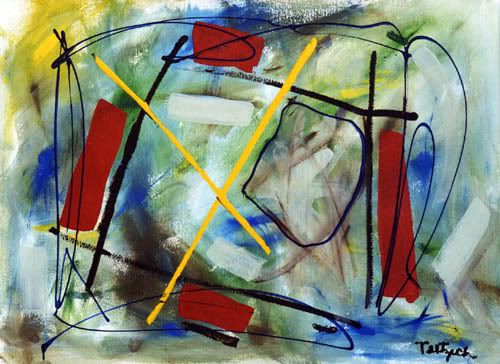
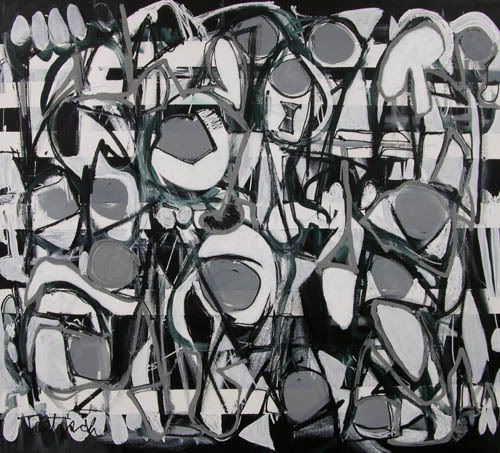
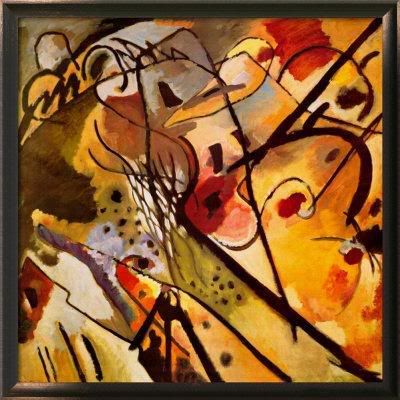
1.jpg │ 2.jpg │ 3.jpg │4.jpg │5.jpg │6.jpg │7.jpg │8.jpg
Java Code for Sildeshow
import java.applet.*;
import java.awt.*;
import java.awt.event.*;
import java.net.*;
public class Slideshow extends Applet implements Runnable
{
// Variable Declaration
Thread runner;
boolean left,right,click,auto;
boolean but0,but1;
boolean b0,b1;
boolean waitMessage = true;
String str_desc[] = { // Display Messages
" This is an Abstract piece.Painted on:20/11/86.",
" This picture is an Abstract work.Painted on:10/1/89.",
" This picture is a Canvas oil painting (15/8/92).",
" This is a Pastel painting (2/10/99).",
" This picture is an Abstract piece.Painted on:6/5/03.",
" This is a Brush painting (2/6/05).",
" This a painted collage (30/1/83).",
" This is my Graphical art piece.Painted on:20/12/08."};
int number=1;
static final int MAX=8;
Image Picture[]=new Image[MAX]; // Image variable
Image Buffer;
Graphics gBuffer; // Graphics Variable
Font a = new Font("Helvetica", Font.PLAIN,12);
Font b = new Font("Dialog", Font.PLAIN,10);
Font c = new Font("Helvetica", Font.BOLD,13);
Rectangle r0=new Rectangle(400,70,50,20); // ON / OFF
Rectangle r1=new Rectangle(400,195,120,20); // Click Here
void loadGraphics()
{ //
Track the status of a number of media objects
MediaTracker t=new MediaTracker(this);
for(int i=0;i< MAX;i++)
{
// Load an image in an applet
Picture[i]=getImage(getCodeBase(),"slides/"+(i+1)+".jpg");
t.addImage(Picture[i],0);
try{
t.waitForAll(0);
}
catch(InterruptedException e)
{
}
waitMessage=false;
}
}
public void init()
{
// Creates an image
Buffer=createImage(size().width,size().height);
gBuffer=Buffer.getGraphics();
// Creates a graphics context for this component
}
public void start()
{
if (runner == null)
{
runner = new Thread (this);
runner.start();
}
}
public void stop()
{
if (runner != null)
{
runner.stop();
runner = null;
}
}
public void run()
{
while(true)
{
try
{
runner.sleep(2500);
}
catch (Exception e)
{ }
if(auto)
{
if(number< MAX)
number++;
else
number=1;
}
repaint();
}
}
public void update(Graphics g)
{ paint(g); }
public void drawArrow(int w,int h,int x,int y,boolean left,boolean over,boolean click)
{
if(click&&over) // set color to yellow on click or mouse over
gBuffer.setColor(Color.yellow);
else
if(over) // set color to orange on mouse over
gBuffer.setColor(Color.orange);
else
// set color to red on click
gBuffer.setColor(Color.red);
if(left)
{
int al[] = {x,x+w,x+w};
int bl[] = {y+h/2,y,y+h};
gBuffer.fillPolygon(al, bl, 3);
}
else {
int ar[] = {x,x,x+w};
int br[] = {y,y+h,y+h/2};
gBuffer.fillPolygon(ar, br, 3);
}
}
public void drawPanel()
{
gBuffer.setColor(Color.white);
gBuffer.fillRect(0,0,size().width,size().height);
// Display Text
drawArrow(40,40,330+70,120,true,left,click);
// Display Left Arrow
drawArrow(40,40,380+70,120,false,right,click);
// Display Right Arrow
gBuffer.setColor(Color.lightGray);
gBuffer.setFont(b);
gBuffer.setColor(auto?Color.orange:Color.lightGray);
gBuffer.fill3DRect(400,70,50,20,!but0);
// Rectangle for ON rectangle
gBuffer.setColor(b0?Color.red:Color.black);
// Color For ON rectangle
String s=auto?"OFF":"ON";
gBuffer.drawString(s,410,85);
gBuffer.setColor(Color.lightGray);
// Download
s="Click Here";
gBuffer.fill3DRect(400,190,120,20,!but1);
gBuffer.setFont(a);
gBuffer.setColor(b1?Color.red:Color.black);
gBuffer.drawString(s,430,205);
// Display Image
gBuffer.drawImage(Picture[number-1],20,20,this);
gBuffer.setColor(Color.black);
gBuffer.setFont(c);
gBuffer.drawString("Slideshow:",300,80);
gBuffer.drawString("Scroll:",300,140);
gBuffer.drawString("Download it!",300,200);
gBuffer.drawString("Description:",300,35);
gBuffer.setFont(a);
gBuffer.drawString(str_desc[number-1],300,50);
}
public boolean mouseDown(Event evt,int x,int y)
{
if(r0.inside(x,y))
{
but0=true; auto^=true;
}
if(r1.inside(x,y))
{
but1=true;
auto=false;
}
if(but1)
{
String link ="http://localhost:8080/download/"+number+".jpg";
try {
// corresponds to an applet's environment
AppletContext a = getAppletContext();
URL url = new URL(link);
// url of the image to be downloaded
a.showDocument(url,"_blank");
}
catch (MalformedURLException e){
System.out.println(e.getMessage());
}
}
if(left)
{
auto=false;
if(number>1)
number--;
else number=8;
}
if(right)
{
auto=false;
if(number< MAX)
number++;
else
number=1;
}
click=true;
repaint();
return true;
}
public boolean mouseUp(Event evt,int x,int y)
{
but0=but1=click=false;
repaint();
return true;
}
public boolean mouseMove(Event evt,int x,int y)
{
Rectangle rl=new Rectangle(330+70,120,40,40);
Rectangle rr=new Rectangle(380+70,120,40,40);
if(rl.inside(x,y))
left=true;
else
left=false;
if(rr.inside(x,y))
right=true;
else
right=false;
if(r0.inside(x,y))
b0=true;
else
b0=false;
if(r1.inside(x,y))
b1=true;
else
b1=false;
repaint();
return true;
}
public void paint(Graphics g)
{
if(waitMessage)
{ g.setColor(Color.blue);
g.drawString("Loading images, please wait...",200,100);
loadGraphics();
}
else
{
drawPanel();
g.drawImage (Buffer,0,0, this);
}
}
}
//< code ="Slideshow" height ="500" width="500">
//< /applet>
Ps: This program works fine, errors if any kindly leavea comment...
Showing posts with label Help. Show all posts
Showing posts with label Help. Show all posts
Labels: Advanced Java, Applet, Help, Swings, Thread
There should be at most one public class definition per source file, the filename must match the name of the public class.
keyword - a word whose meaning is defined by the programming language
true and false aren't in fact keywords, they are literal boolean values
goto and const are reserved words
identifier - is a word used by a programmer to name a variable, method, class or label. Must begin with a letter, a dollar sign or underscore
Java's four signed integral data types are: byte, short, int, long
Double and float can take on values that are bit patterns that do not represent numbers
Float.NaN, Float.NEGATIVE_INFINITY, Float.POSITIVE_INFINITY.. the same with Double
A literal is a value specified in the program source, they cannot appear on the left side of assignments.
A Java array is an ordered collection of primitives, object references or other arrays, all elements must be of the same type. To create and use an array you must follow three steps: Declaration, Construction, Ininialization. 1. int[] integers, 2. integers = new int[20]
Java array is starting with index 0.
A common mistake is to guess that importing has something to do with class loading. The fact is, that the name is brought into the source file's namespace.
import static java.awt.Color.RED; ... myColor = RED; ... Static imports eliminate the nuisance of constant interfaces.
import static measure.Scales.kilometersToMiles();
Member variable - is created when the instance is created, and exists as long the enclosing object exists. Automatic variable - is created on entry to the method. Class variable - (aka. static variable) is created when the class is loaded and is destroyed when the class is unloaded. Initial value is assigned to member variables, static variables, but not automatic variables.
When java passes an argument into a method call, a copy of the argument is actually passed.
Each process has its own stack and heap. Objects are always allocated on the heap.
Explicitly assign null into a variable when you have finished with it.
When the garbage collector finds memory that is no longer accessible from any live thread it takes steps to release it back into the heap for re-use. Class destructor method is called finalize().
It is not possible to force the garbage collection.
Importing slightly increases compilation time.
In Java all arguments are passed by value.
keyword - a word whose meaning is defined by the programming language
true and false aren't in fact keywords, they are literal boolean values
goto and const are reserved words
identifier - is a word used by a programmer to name a variable, method, class or label. Must begin with a letter, a dollar sign or underscore
Java's four signed integral data types are: byte, short, int, long
Double and float can take on values that are bit patterns that do not represent numbers
Float.NaN, Float.NEGATIVE_INFINITY, Float.POSITIVE_INFINITY.. the same with Double
A literal is a value specified in the program source, they cannot appear on the left side of assignments.
A Java array is an ordered collection of primitives, object references or other arrays, all elements must be of the same type. To create and use an array you must follow three steps: Declaration, Construction, Ininialization. 1. int[] integers, 2. integers = new int[20]
Java array is starting with index 0.
A common mistake is to guess that importing has something to do with class loading. The fact is, that the name is brought into the source file's namespace.
import static java.awt.Color.RED; ... myColor = RED; ... Static imports eliminate the nuisance of constant interfaces.
import static measure.Scales.kilometersToMiles();
Member variable - is created when the instance is created, and exists as long the enclosing object exists. Automatic variable - is created on entry to the method. Class variable - (aka. static variable) is created when the class is loaded and is destroyed when the class is unloaded. Initial value is assigned to member variables, static variables, but not automatic variables.
When java passes an argument into a method call, a copy of the argument is actually passed.
Each process has its own stack and heap. Objects are always allocated on the heap.
Explicitly assign null into a variable when you have finished with it.
When the garbage collector finds memory that is no longer accessible from any live thread it takes steps to release it back into the heap for re-use. Class destructor method is called finalize().
It is not possible to force the garbage collection.
Importing slightly increases compilation time.
In Java all arguments are passed by value.
Subscribe to:
Posts (Atom)