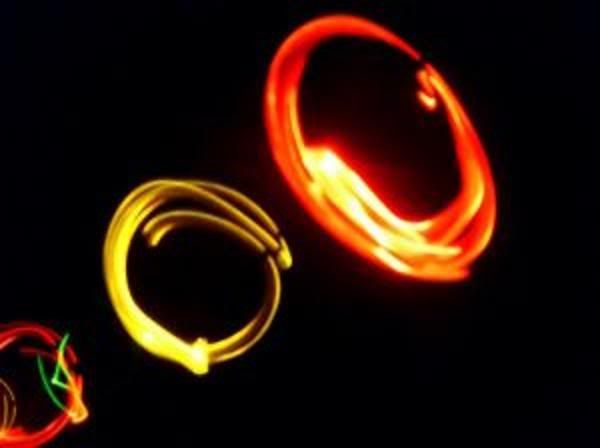
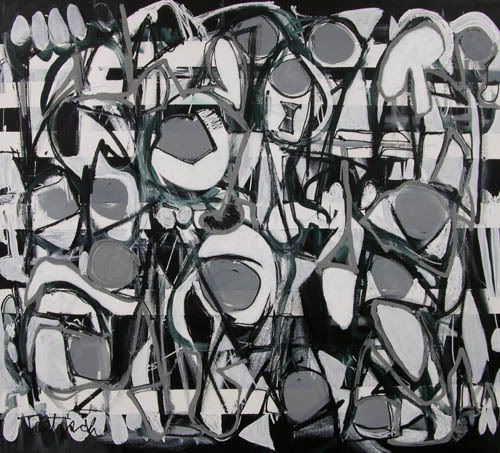
/* Java applet to display sildeshow to images from a given folder in thumbnail form, images can be selected one by one and can be enable/disable slideshow of images. The thumbnail images are placed in slides folder, the download button(rectangle) downloads the images from the web server, hence a webserver is required eg : any webserver even tomcat webserver with download folder with images*/
/* Requirements
1. Name of java file : Sildeshow.java
2. Name of images folder : slides
3. Names of images 1.jpg, 2.jpg and so on upto 8.jpg.
3. Name of download folder in webserver : download
4. Download images given below and paste them in slides folder :
1.jpg │2.jpg │3.jpg │4.jpg │5.jpg │6.jpg │7.jpg │8.jpg
5. Download images given below and paste them in download folder in webserver :
1.jpg │ 2.jpg │ 3.jpg │4.jpg │5.jpg │6.jpg │7.jpg │8.jpg
Java Code for Sildeshow
import java.applet.*;
import java.awt.*;
import java.awt.event.*;
import java.net.*;
public class Slideshow extends Applet implements Runnable
{
// Variable Declaration
Thread runner;
boolean left,right,click,auto;
boolean but0,but1;
boolean b0,b1;
boolean waitMessage = true;
String str_desc[] = { // Display Messages
" This is an Abstract piece.Painted on:20/11/86.",
" This picture is an Abstract work.Painted on:10/1/89.",
" This picture is a Canvas oil painting (15/8/92).",
" This is a Pastel painting (2/10/99).",
" This picture is an Abstract piece.Painted on:6/5/03.",
" This is a Brush painting (2/6/05).",
" This a painted collage (30/1/83).",
" This is my Graphical art piece.Painted on:20/12/08."};
int number=1;
static final int MAX=8;
Image Picture[]=new Image[MAX]; // Image variable
Image Buffer;
Graphics gBuffer; // Graphics Variable
Font a = new Font("Helvetica", Font.PLAIN,12);
Font b = new Font("Dialog", Font.PLAIN,10);
Font c = new Font("Helvetica", Font.BOLD,13);
Rectangle r0=new Rectangle(400,70,50,20); // ON / OFF
Rectangle r1=new Rectangle(400,195,120,20); // Click Here
void loadGraphics()
{ //
Track the status of a number of media objects
MediaTracker t=new MediaTracker(this);
for(int i=0;i< MAX;i++)
{
// Load an image in an applet
Picture[i]=getImage(getCodeBase(),"slides/"+(i+1)+".jpg");
t.addImage(Picture[i],0);
try{
t.waitForAll(0);
}
catch(InterruptedException e)
{
}
waitMessage=false;
}
}
public void init()
{
// Creates an image
Buffer=createImage(size().width,size().height);
gBuffer=Buffer.getGraphics();
// Creates a graphics context for this component
}
public void start()
{
if (runner == null)
{
runner = new Thread (this);
runner.start();
}
}
public void stop()
{
if (runner != null)
{
runner.stop();
runner = null;
}
}
public void run()
{
while(true)
{
try
{
runner.sleep(2500);
}
catch (Exception e)
{ }
if(auto)
{
if(number< MAX)
number++;
else
number=1;
}
repaint();
}
}
public void update(Graphics g)
{ paint(g); }
public void drawArrow(int w,int h,int x,int y,boolean left,boolean over,boolean click)
{
if(click&&over) // set color to yellow on click or mouse over
gBuffer.setColor(Color.yellow);
else
if(over) // set color to orange on mouse over
gBuffer.setColor(Color.orange);
else
// set color to red on click
gBuffer.setColor(Color.red);
if(left)
{
int al[] = {x,x+w,x+w};
int bl[] = {y+h/2,y,y+h};
gBuffer.fillPolygon(al, bl, 3);
}
else {
int ar[] = {x,x,x+w};
int br[] = {y,y+h,y+h/2};
gBuffer.fillPolygon(ar, br, 3);
}
}
public void drawPanel()
{
gBuffer.setColor(Color.white);
gBuffer.fillRect(0,0,size().width,size().height);
// Display Text
drawArrow(40,40,330+70,120,true,left,click);
// Display Left Arrow
drawArrow(40,40,380+70,120,false,right,click);
// Display Right Arrow
gBuffer.setColor(Color.lightGray);
gBuffer.setFont(b);
gBuffer.setColor(auto?Color.orange:Color.lightGray);
gBuffer.fill3DRect(400,70,50,20,!but0);
// Rectangle for ON rectangle
gBuffer.setColor(b0?Color.red:Color.black);
// Color For ON rectangle
String s=auto?"OFF":"ON";
gBuffer.drawString(s,410,85);
gBuffer.setColor(Color.lightGray);
// Download
s="Click Here";
gBuffer.fill3DRect(400,190,120,20,!but1);
gBuffer.setFont(a);
gBuffer.setColor(b1?Color.red:Color.black);
gBuffer.drawString(s,430,205);
// Display Image
gBuffer.drawImage(Picture[number-1],20,20,this);
gBuffer.setColor(Color.black);
gBuffer.setFont(c);
gBuffer.drawString("Slideshow:",300,80);
gBuffer.drawString("Scroll:",300,140);
gBuffer.drawString("Download it!",300,200);
gBuffer.drawString("Description:",300,35);
gBuffer.setFont(a);
gBuffer.drawString(str_desc[number-1],300,50);
}
public boolean mouseDown(Event evt,int x,int y)
{
if(r0.inside(x,y))
{
but0=true; auto^=true;
}
if(r1.inside(x,y))
{
but1=true;
auto=false;
}
if(but1)
{
String link ="http://localhost:8080/download/"+number+".jpg";
try {
// corresponds to an applet's environment
AppletContext a = getAppletContext();
URL url = new URL(link);
// url of the image to be downloaded
a.showDocument(url,"_blank");
}
catch (MalformedURLException e){
System.out.println(e.getMessage());
}
}
if(left)
{
auto=false;
if(number>1)
number--;
else number=8;
}
if(right)
{
auto=false;
if(number< MAX)
number++;
else
number=1;
}
click=true;
repaint();
return true;
}
public boolean mouseUp(Event evt,int x,int y)
{
but0=but1=click=false;
repaint();
return true;
}
public boolean mouseMove(Event evt,int x,int y)
{
Rectangle rl=new Rectangle(330+70,120,40,40);
Rectangle rr=new Rectangle(380+70,120,40,40);
if(rl.inside(x,y))
left=true;
else
left=false;
if(rr.inside(x,y))
right=true;
else
right=false;
if(r0.inside(x,y))
b0=true;
else
b0=false;
if(r1.inside(x,y))
b1=true;
else
b1=false;
repaint();
return true;
}
public void paint(Graphics g)
{
if(waitMessage)
{ g.setColor(Color.blue);
g.drawString("Loading images, please wait...",200,100);
loadGraphics();
}
else
{
drawPanel();
g.drawImage (Buffer,0,0, this);
}
}
}
//< code ="Slideshow" height ="500" width="500">
//< /applet>
Ps: This program works fine, errors if any kindly leavea comment...
Labels: Advanced Java, Applet, Help, Swings, Thread
/* Implementation Of Threads */
import java.io.*;
import java.util.*;
class AA extends Thread
{
int i;
public void run()
{
System.out.println("Thread A");
for(i=0;i<5;i++)
{
System.out.println("Thread A : "+i);
yield();
}
}
}
class B extends Thread
{
int i;
public void run()
{
System.out.println("Thread B");
for(i=0;i<5;i++)
{
System.out.println("Thread B : "+i);
yield();
}
}
}
class C extends Thread
{
int i;
public void run()
{
System.out.println("Thread C");
for(i=0;i<5;i++)
{
System.out.println("Thread C : "+i);
yield();
}
}
}
class ThreadLionel
{
public static void main(String []args)
{
AA a = new AA();
B b = new B();
C c = new C();
a.start();
b.start();
c.start();
}
}
/*
--------------------OUTPUT--------------------
Thread A
Thread A : 0
Thread A : 1
Thread B
Thread B : 0
Thread C
Thread C : 0
Thread A : 2
Thread B : 1
Thread C : 1
Thread A : 3
Thread B : 2
Thread C : 2
Thread A : 4
Thread B : 3
Thread C : 3
Thread B : 4
Thread C : 4
*/
/* Java Program To Fetch The Url Of Any Site */
import java.io.*;
import java.net.*;
public class fetchUrl
{
public static void main(String args[])
{
try
{
if(args.length !=1)
{
System.out.println("Usage: java fetchUrl < URL such as http://www.javapgms.blogspot.com>");
System.exit(0);
}
System.out.println("Hello");
URL url = new URL (args[0]);
System.out.println("\n Fetching URL :" +args[0] +"\n");
BufferedReader br = new BufferedReader(new InputStreamReader(url.openStream()));
String strline;
while((strline = br.readLine())!=null)
{
System.out.println(strline);
}
br.close();
}
catch(MalformedURLException mue)
{
System.out.println("Unknown URL");
}
catch(IOException ioe)
{
System.out.println("IO Error");
}
}
}
Labels: Advanced Java, Networking, Thread
/* Java Program To Move a Shape say Oval from the bottom of the applet to the center, a vertical scroll in an infinite loop ie once the shape reaches the denter it goes back to the bottom and repeats the path */
import java.awt.*;
import java.applet.*;
public class VertiScroll extends Applet implements Runnable
{
int x,y;
Dimension size;
public void init()
{
//set initial co-ordinates for message
x = 230;
y = 450;
//creates new thread
Thread t = new Thread(this);
t.start();
}
public void run()
{
while (true)
{
try
{
/*initialize size to contain the current size of the applet window */
size = getSize();
/* if co-ordinate of the oval is lesser than reset the height of the applet the x coordinate to a value say 200 else decrement y */
if(y< 200)
y = 450;
y--;
Thread.sleep(20);
}
catch(InterruptedException e)
{
}
repaint();
}
}
public void paint(Graphics g)
{
g.setColor(Color.red);
g.fillOval(x,y,40,50);
}
}
/*< applet code=VertiScroll Width=500 Height = 500>< /applet>*/
Labels: Advanced Java, Applet, Thread
/* Program In Java To Display A text and to scroll the text from left to right, display the text as colored */
import java.awt.*;
import java.applet.*;
public class HoriScroll2 extends Applet implements Runnable
{
String message = "Pay-Per-Play Starts on Feburary....";
int x,y;
Dimension size;
public void init()
{
//set initial co-ordinates for message
x = 300;
y = 50;
//creates new thread
Thread t = new Thread(this);
t.start();
}
public void run()
{
while (true)
{
try
{
/*initialize size to contain the current size of the applet window */
size = getSize();
/* if co-ordinate of the text is lesser than a value say 5 reset the width of the applet the x coordinate to 500 else decrement x */
if(x< 5)
x = 500;
x--;
Thread.sleep(50);
}
catch(InterruptedException e)
{
}
repaint();
}
}
public void paint(Graphics g)
{
g.setFont(new Font("Terminal",Font.BOLD|Font.ITALIC,26));
g.setColor(Color.green);
g.drawString(message,x,y);
}
}
/*< applet code=HoriScroll2 Width=500 Height = 500>< /applet>*/
Labels: Advanced Java, Applet, Thread
/* Program In Java To Display A text and to scroll the text from right to left, display the text as colored */
import java.awt.*;
import java.applet.*;
public class HoriScroll extends Applet implements Runnable
{
String message = "Lionel Cyril ....";
int x,y;
Dimension size;
public void init()
{
//set initial co-ordinates for message
x = 10;
y = 50;
//creates new thread
Thread t = new Thread(this);
t.start();
}
public void run()
{
while (true)
{
try
{
/*initialize size to contain the current size of the applet window */
size = getSize();
/* if co-ordinate of the text is greater than reset the width of the applet the x coordinate to 10 else increment x */
if(x>size.width)
x = 0;
x++;
Thread.sleep(50);
}
catch(InterruptedException e)
{
}
repaint();
}
}
public void paint(Graphics g)
{
g.setFont(new Font("Monotype Corsiva",Font.BOLD,24));
g.setColor(Color.red);
g.drawString(message,x,y);
}
}
/*< applet height="500" width="500" code="HoriScroll">< /applet>*/
Labels: Advanced Java, Applet, Thread